

If you have enabled Notes Shared Login in your environment and you want to access the User Security within your HCL Notes Client ( File / Security / User Security ) you might receive the error message although you enter the correct Windows password:
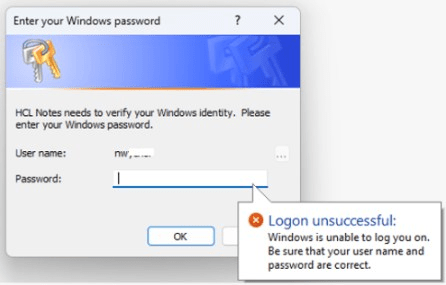
The problem is caused by the absence of the “Access this computer from the network” permission within the Windows Local Security Policy. To avoid this issue just put the following entry to the NOTES.INI of the client:
NSL_LOGON_INTERACTIVE=1
There´s a KB entry of HCL which describes the background.
 Tips and News for Collaboration solutions
Thanks for this Rainer!
LikeLike