

During today´s session from stoeps and Milan during engage.2026 the two guys shared a great information how you can easily give yourself the information in which WebSphere ISC you’re currently working.
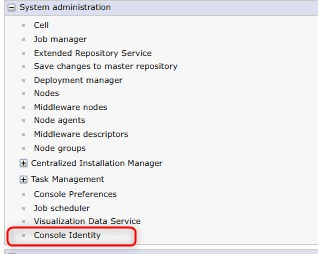
To customize this information you have to open the ISC and go to “System Administration / Console Identity”:
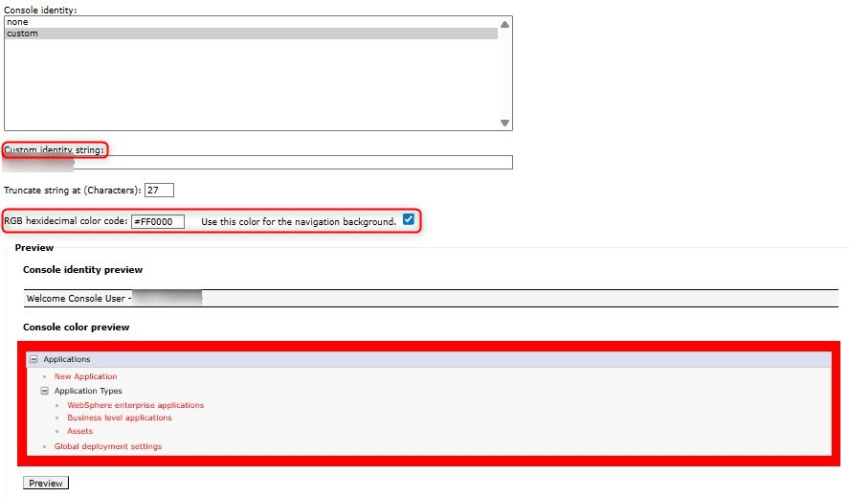
Here you are able to customize the shown name of your ISC environment and you also can modify the color how your menu and menu text are displayed:
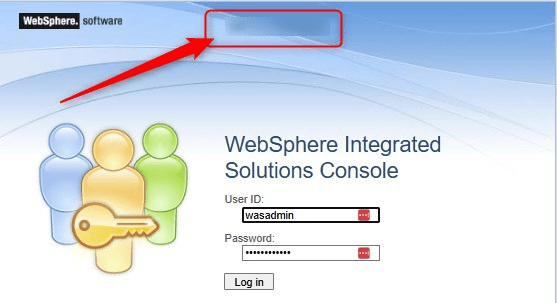
After saving the change and reopening the ISC you can first see the customized identity string in the login screen
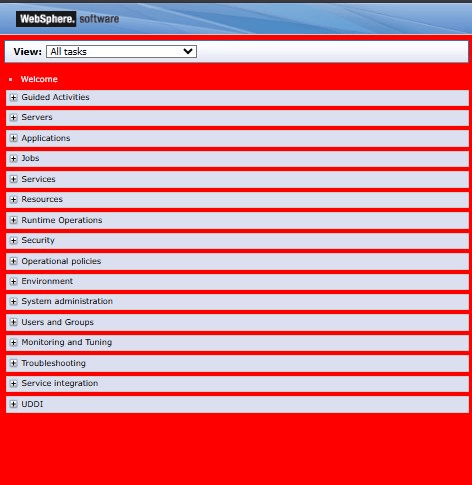
and also directory in the ISC header

and also the menu and the text are displayed in the selected color:
You can find the RGB color codes here: https://www.rapidtables.com/web/color/RGB_Color.html
Thanks a lot for this great hint !!!

