

This week I did a side-by-side migration of a HCL Connections 7 environemnt to HCL Connections 8 CR13. I use this blog entry as documentation for myself but maybe it also could help someone else when heading into issues.
WebSphere Application Server issues
After moving the shared data directory from the CNX 7 environment to the CNX 8 environment I thought of removing the messageStores ( in my case it was /data/ic-share/messageStores ). After the restart of the application servers I could see that no new messageStores have been created except from the WikisCluster !!
We searched if there´s a problem with the NFS share but could not find any problem. After some investigation we could find the problem. The following option was disabled for all servers except the WikisCluster:
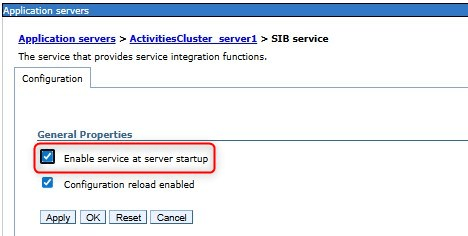
Thx a lot to stoeps and Urs for working on this issue with me !! So after enabling this option the messageStores have been successfully created
Search index
Don’t (!) forget to delete the search index and to recreate it. Just follow the official documentation: https://help.hcl-software.com/connections/v8-cr9/admin/admin/t_admin_search_delete_index.html
Last but not least > the directory shared_data_directory/provision/webresources
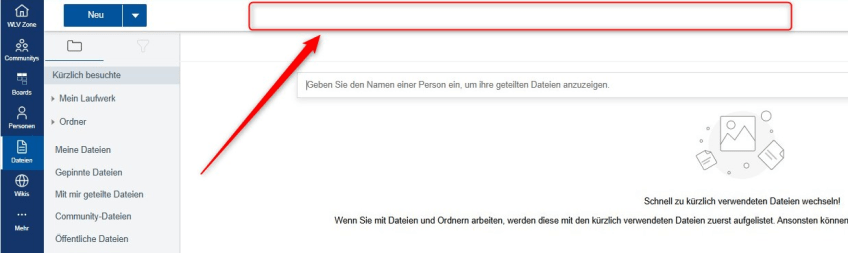
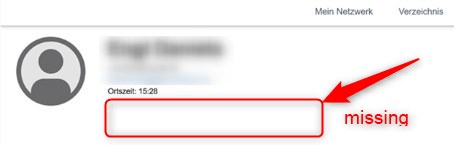
I was facing the issue that for example the header in the files application, the “Invite to my network” option within a profile and some other issues have been missing.
Files app:
Profiles app:
During breakfast I was thinking about this issue and could find the solution. During the transfer of the shared data directory the provision/webresources directory also was moved over !!
So I replaced it with the one from the test environment, stopped all servers, nodes and the DMGr, cleared all caches from the DMGr and the nodes, restarted, and >> now everything is in place 🙂
 Tips and News for Collaboration solutions