

Last week I had the issue that a customer modified the configuration of the customized UI of the HCL Connections environment done with ICEC and I asked myself if it’s possible to create scheduled backups of the ICEC configuration including graphics, css files, html files, …
A check in the configuration center showed me that you can schedule automatic backups of the complete customization:


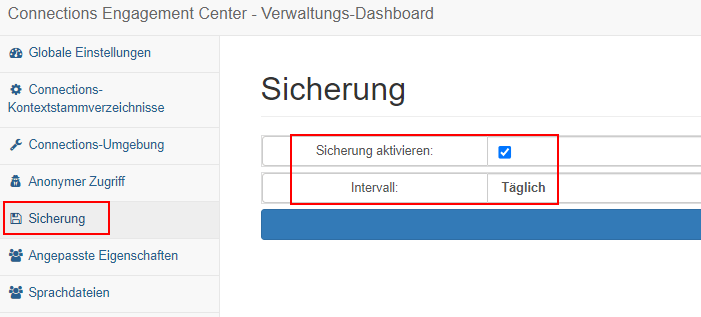
So I checked the option “Enable backup”, scheduled the backup for a daily schedule and restarted the server hosting the application “ICEC”. The day later I checked if a backup was created – and could see nothing. No backup has been done.
After opening a case I received the extremely helpful information that there’s an issue with the German settings and that there’s a workaround by opening the ICEC Admin Dashboard in English with the following URL parameter:
https://yourserver.company.com/xcc/admin?lang=en#Backup
After opening the interface with the English language, resaving the parameter and restarting the CommunitiesCluster a backup was immediately created and still is created.
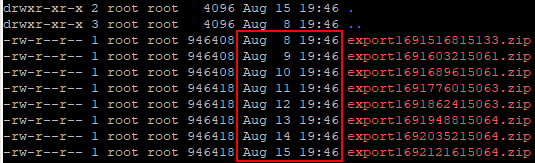
The information I additionaly received was that you’re not able to schedule the backup for a specific time. It’s done exactly 24 hours after the first backup. So for me the first scheduled backup after the restart of the CommunitiesCluster was created at 7:46PM and all ongoing backups also are created at this time:
 Tips and News for Collaboration solutions